 |
OpenSNES
Modern Open-Source SNES Development SDK
|
|
OpenSNES
Modern Open-Source SNES Development SDK
|
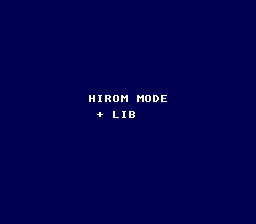
The difference between LoROM and HiROM memory mapping on the SNES, and how to build a HiROM ROM with OpenSNES. The program displays "HIROM MODE" and changes the background color when A is pressed – proving the ROM, library, and input all work correctly in HiROM mode.
Read text/print_string first (basic PPU setup). Understanding of hexadecimal addressing is helpful but not required.
| Button | Action |
|---|---|
| A (hold) | Changes background to light blue |
Then open hirom_demo.sfc in your emulator (Mesen2 recommended).
This tells the build system to:
The C code does not need to change between LoROM and HiROM – the compiler and linker handle the address mapping transparently. consoleInit(), dmaCopyVram(), padHeld() – everything works the same way.
This demo uses a built-in 2bpp font defined as a const array in C:
The const qualifier places the data in ROM (not RAM), so it works regardless of memory mapping mode. The tiles are loaded to VRAM via dmaCopyVram().
The color change on A-press confirms that joypad reading works correctly in HiROM mode. CGRAM writes at $2121/$2122 work identically in both modes.
| LoROM | HiROM | |
|---|---|---|
| Bank size | 32 KB ($8000-$FFFF) | 64 KB ($0000-$FFFF) |
| ROM range | Banks $00-$7D | Banks $C0-$FF |
| Max size | ~4 MB | ~4 MB |
| WRAM access | Banks $00-$3F, $80-$BF | Banks $00-$3F |
The key difference is where ROM data appears in the CPU address space. In LoROM, a 64 KB ROM file is split across two banks (bank 0 holds bytes 0-32767 at $8000-$FFFF, bank 1 holds bytes 32768-65535). In HiROM, the same data fills one bank completely ($0000-$FFFF). The linker and ROM header handle this mapping automatically.
| File | Purpose |
|---|---|
| main.c | Embedded font, text display, input-driven color change |
| Makefile | USE_HIROM := 1, LIB_MODULES := console dma input sprite background |
console, dma, input, sprite, background (LIB_MODULES in the Makefile).
 1.16.1