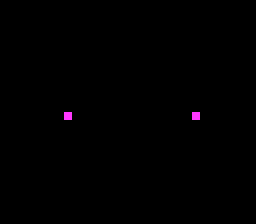
Screenshot
Simultaneous multi-controller input handling.
Learning Objectives
After this lesson, you will understand:
- Reading from multiple controller ports
- Independent sprite control per player
- Controller disconnection detection
- Separate palettes for player identification
Prerequisites
- Completed basic input examples
- Understanding of sprite basics
What This Example Does
Two-player simultaneous control:
- Player 1 (blue sprite) controlled by Controller 1
- Player 2 (red sprite) controlled by Controller 2
- Each player moves independently
- Screen boundary checking for both
+----------------------------------------+
| |
| [P1 BLUE] [P2 RED] |
| |
| |
| |
| |
| Controller 1 Controller 2 |
+----------------------------------------+
Controls:
- Controller 1 D-Pad: Move blue sprite (Player 1)
- Controller 2 D-Pad: Move red sprite (Player 2)
Code Type
C with Direct Register Access
Reading Two Controllers
Controller Registers
| Register | Address | Purpose |
| JOY1L | $4218 | Controller 1 low byte |
| JOY1H | $4219 | Controller 1 high byte |
| JOY2L | $421A | Controller 2 low byte |
| JOY2H | $421B | Controller 2 high byte |
Reading Both Controllers
Player State
Struct Pattern (Required)
The two coordinates live in one struct of s16, so a player is one value to pass around. (This line used to blame the compiler for horizontal movement issues with separate u16 variables; nothing of the kind is known today — signed 16-bit arithmetic is pinned by the compiler checks — and the struct is kept for clarity.)
typedef struct {
signed short s16
16-bit signed integer (-32768 to 32767)
Definition types.h:50
Player p2
Player 2 state, initialized at right-center of screen.
Definition main.c:105
Player p1
Player 1 state, initialized at left-center of screen.
Definition main.c:103
Per-player position state.
Definition main.c:97
Player Movement
Independent Control
Player Differentiation
Separate Palettes
#define REG_CGADD
CGRAM address (W).
Definition registers.h:154
#define REG_CGDATA
CGRAM data write (W).
Definition registers.h:157
Sprite Setup
void oamSet(u16 id, u16 x, u16 y, u16 tile, u16 palette, u16 priority, u16 flags)
Set sprite properties.
Controller Detection
Disconnected Controller
Controller Types
The SNES supports various controllers:
- Standard gamepad (most common)
- Mouse
- Super Scope
- Multitap (4+ players)
Build & Run
cd $OPENSNES_HOME
make -C examples/input/two_players
Then open two_players.sfc in your emulator (Mesen2 recommended). Configure the emulator for two controllers.
Modules Used
console, input, sprite, dma, text (LIB_MODULES in the Makefile).
Files
| File | Purpose |
| main.c | Two-player input handling, sprite setup, palette |
| Makefile | Build configuration (LIB_MODULES := console input sprite dma text) |
Exercises
Exercise 1: Player Collision
Detect when players touch:
if (abs(
p1.x -
p2.x) < 16 && abs(
p1.y -
p2.y) < 16) {
}
Exercise 2: Different Speeds
Give players different speeds:
#define P1_SPEED 2
#define P2_SPEED 3
Exercise 3: Button Actions
Add button-triggered actions:
Exercise 4: Split Screen
Implement split-screen view for versus games (advanced):
Technical Notes
Auto-Joypad Read
The SNES automatically reads controllers during VBlank:
- Enabled by NMITIMEN register
- Takes ~4 scanlines
- Check HVBJOY bit 0 for completion
Multitap Support
For more than 2 players, use the multitap:
- Requires different register access
- Up to 4-5 players depending on adapter
Input Latency
Controller reads happen once per frame:
- 60Hz = ~16.7ms input latency
- Additional latency from game logic
Button Layout
Both controllers have identical mapping:
Bit 15: B Bit 7: A
Bit 14: Y Bit 6: X
Bit 13: Select Bit 5: L
Bit 12: Start Bit 4: R
Bit 11: Up Bits 3-0: ID (always $F)
Bit 10: Down
Bit 9: Left
Bit 8: Right
What's Next?
Collision: Collision Demo - Hit detection
Game: Breakout - Complete game with collision and sprites

 1.16.1