 |
OpenSNES
Modern Open-Source SNES Development SDK
|
|
OpenSNES
Modern Open-Source SNES Development SDK
|
Demonstrates how to use the SNES Mouse peripheral: detecting the device on a controller port, reading motion deltas to drive an on-screen cursor sprite, and responding to left/right button clicks. The SNES Mouse was a real accessory (bundled with Mario Paint) and a handful of commercial games supported it. This example covers the full workflow from detection to input handling.
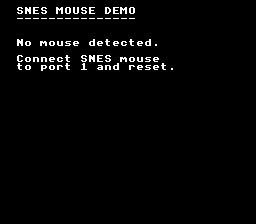
The SNES Mouse connects to a standard controller port and is identified by the auto-joypad read circuitry. The CPU reads it through the same I/O registers as controllers ($4218-$421F), but the data format differs: instead of button bits, it returns X and Y displacement values (deltas) and two button bits (left and right). The mouseInit() function checks the device signature returned by auto-joypad and returns whether a mouse was found.
The SNES Mouse has three sensitivity levels (low, medium, high) that control how many pixels of displacement are reported per physical movement unit. The setting is stored in the mouse hardware and cycled via mouseSetSensitivity().
This example uses a hardware sprite (OAM entry 0) as the cursor rather than drawing into a background tilemap. Sprites can be positioned at arbitrary pixel coordinates without affecting backgrounds and are drawn on top of all BG layers. The cursor tile data is DMA'd to OBJ VRAM at $4000 and configured as 16x16 via REG_OBJSEL ($2101).
| Button | Action |
|---|---|
| Mouse movement | Move cursor |
| Left click | Change background color to blue |
| Right click | Cycle sensitivity (Low / Med / High) |
Note: In Mesen2, enable SNES Mouse emulation under Input settings and assign it to controller port 1.
The text system provides on-screen labels. After one VBlank cycle (to ensure auto-joypad has run), mouseInit(0) checks port 1 for a mouse. If none is found, a message is displayed and the program halts.
The cursor is a 16x16 4bpp sprite. Because SNES OBJ tiles are arranged in a 16-tile-wide grid in VRAM, a 16x16 sprite uses tiles 0-1 (top row) and tiles 16-17 (bottom row). The tile data is split across two DMA transfers:
Rather than calling oamSet() every frame (which has high overhead on the 65816), the cursor sprite is configured by writing directly to the oamMemory[] buffer. The NMI handler DMA's this buffer to OAM hardware each VBlank:
Each frame, the mouse deltas are read and accumulated into the cursor position. The position is clamped to screen bounds (0-255 horizontal, 0-223 vertical):
mouseButtonsHeld() returns which buttons are currently down (for continuous display), while mouseButtonsPressed() returns buttons that transitioned from released to pressed this frame (for single-shot actions like color change):
Then open mouse.sfc in your emulator (Mesen2 recommended). Enable SNES Mouse emulation in your emulator's input configuration and assign it to port 1.
console, input, sprite, dma, text, background (LIB_MODULES in the Makefile).
 1.16.1