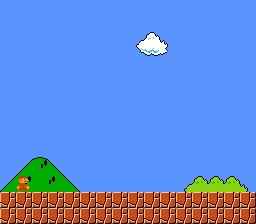
What This Example Shows
How to use BG3 as a high-priority HUD overlay in Mode 1. Normally BG3 is the lowest-priority background layer, but the BG3_MODE1_PRIORITY_HIGH flag promotes it to the highest priority – rendering on top of BG1 and BG2.
This is the standard SNES technique for status bars, health displays, and score overlays in Mode 1 games (Zelda ALttP, Streets of Rage, Final Fantasy, etc.).
Controls
No interactive controls. The display is static.
Build & Run
Then open mode1_bg3_priority.sfc in your emulator (Mesen2 recommended).
How It Works
1. Set up three background layers
Each BG gets its own tilemap region in VRAM. BG1 and BG2 are 4bpp (16 colors), BG3 is 2bpp (4 colors) – that is how Mode 1 works on the SNES.
2. Load tiles and palettes
Each BG has its own palette slot (2, 4, 0). The palette slot is encoded in the tilemap entries, so tiles reference the correct colors automatically.
3. Enable BG3 high priority
The BG3_MODE1_PRIORITY_HIGH flag (bit 3 of the BGMODE register at $2105) changes BG3's rendering order from lowest to highest. Without this flag, the HUD would be hidden behind the other two layers.
SNES Concepts
Mode 1 Priority System
In Mode 1, the default layer priority (back to front) is: BG3, BG2, BG1, then sprites interleaved by their priority bits. Setting BG3_MODE1_PRIORITY_HIGH changes this so that BG3 tiles with their per-tile priority bit set render above everything else – even above BG1 and sprites.
This is why BG3 is the standard HUD layer: it can sit on top of the entire scene without interfering with BG1/BG2 content.
BG3 is 2bpp in Mode 1
Mode 1 allocates 4 bits per pixel to BG1 and BG2 (16 colors each), but only 2 bits per pixel to BG3 (4 colors). This is enough for simple HUD elements – text, health bars, icons – but not for detailed artwork. Each 8x8 BG3 tile occupies 16 bytes in VRAM, compared to 32 bytes for a 4bpp tile.
Tilemap Palette Bits
Each tilemap entry (2 bytes) encodes a palette number in bits 12-10. The gfx4snes converter bakes this in automatically, so the palette slot passed to bgInitTileSet() must match what the map data expects. A mismatch means tiles display with the wrong colors.
VRAM Layout
| Address | Content | Size |
|---|---|---|
$0000 | BG1 tilemap | 2048 bytes |
$0400 | BG2 tilemap | 2048 bytes |
$0800 | BG3 tilemap | 2048 bytes |
$2000 | BG1 tiles (4bpp) | ~2.5 KB |
$3000 | BG2 tiles (4bpp) | ~1 KB |
$4000 | BG3 tiles (2bpp) | 128 bytes |
Project Structure
| File | Purpose |
|---|---|
main.c | BG setup, Mode 1 + BG3 priority configuration |
data.asm | Three sets of tile/palette/tilemap data via .INCBIN |
res/ | Source PNGs for BG1, BG2, BG3 |
Makefile | LIB_MODULES := console sprite dma background |
Going Further
- Add scrolling: Call
bgSetScroll()in the main loop to scroll BG1 and BG2 independently while keeping BG3 (the HUD) stationary. This is how Zelda ALttP keeps the item bar fixed while the world scrolls. - Dynamic HUD text: Use the text system (
textPrintAt()) to render score or health values to BG3's tilemap each frame. - Explore related examples:
backgrounds/continuous_scroll– Parallax scrolling with multiple BG layerseffects/hdma_wave– Per-scanline effects on backgrounds
