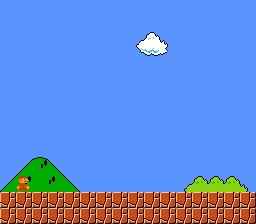
The most common SNES video mode with two 16-color and one 4-color background.
Learning Objectives
After this lesson, you will understand:
- Mode 1 layer configuration
- Loading tilesets and tilemaps
- 4bpp tile format basics
- Palette organization
Prerequisites
- Completed text examples
- Basic understanding of tiles and tilemaps
What This Example Does
Displays a static background image using Mode 1:
- BG1 with 16 colors (4bpp)
- Demonstrates standard SNES background setup
- Foundation for most SNES games
Controls: None (static display)
Code Type
C with Library Functions
| Component | Type |
|---|---|
| Background setup | Library (bgSetMapPtr, bgInitTileSet) |
| Tilemap loading | Library (dmaCopyVram) |
| Mode setting | Library (setMode) |
| Screen enable | Library (setScreenOn) |
Mode 1 Overview
Mode 1 is the most popular SNES video mode:
| Layer | Color Depth | Colors | Typical Use |
|---|---|---|---|
| BG1 | 4bpp | 16 | Main playfield |
| BG2 | 4bpp | 16 | Secondary layer |
| BG3 | 2bpp | 4 | Status bar, text |
| Sprites | 4bpp | 16 per palette | Characters, objects |
Games Using Mode 1
- Super Mario World
- The Legend of Zelda: A Link to the Past
- Street Fighter II
- Final Fantasy IV/V/VI
- Chrono Trigger
Basic Setup
1. Configure Video Mode
2. Set Up Background
3. Enable Display
VRAM Layout
A typical Mode 1 VRAM layout:
Tilemap Format
Each tilemap entry is 2 bytes:
4bpp Tile Format
Mode 1 uses 4 bits per pixel (16 colors):
Build & Run
Then open mode1.sfc in your emulator (Mesen2 recommended).
Files
| File | Purpose |
|---|---|
main.c | Background setup code |
data.asm | Tiles, tilemap, and palette data |
Makefile | Build configuration (LIB_MODULES := console sprite dma background) |
res/ | Source graphics files |
Exercises
Exercise 1: Add a Second Layer
Enable BG2 with a different tileset:
Exercise 2: Change Palette
Modify colors by writing to CGRAM:
Exercise 3: Tile Flip
Modify tilemap entries to flip tiles:
Exercise 4: Add Priority
Use BG3 for a status bar that appears over BG1:
Technical Notes
Mode 1 Priorities
Default priority (back to front):
- BG3 (lowest)
- BG2
- BG1
- Sprites (can be interleaved)
Priority bit in tilemap flips individual tiles to front.
BG3 Specifics
BG3 in Mode 1 is only 2bpp (4 colors) but has special priority behavior. It's commonly used for:
- HUD overlays
- Text displays
- Status bars
Color Palette
Mode 1 palette organization:
- Colors 0-15: BG1 palette
- Colors 16-31: BG2 palette
- Colors 32-35: BG3 palette (only 4 colors)
- Colors 128-255: Sprite palettes
What's Next?
More BG layers: BG3 Priority - HUD overlay in Mode 1
Sprites: Simple Sprite - Display a sprite
Effects: Fading - Screen transitions
