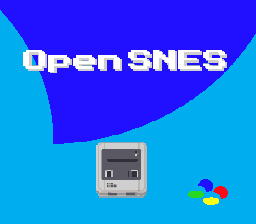
Screenshot
The most common SNES video mode with two 16-color and one 4-color background.
Learning Objectives
After this lesson, you will understand:
- Mode 1 layer configuration
- Loading tilesets and tilemaps
- 4bpp tile format basics
- Palette organization
Prerequisites
- Completed text examples
- Basic understanding of tiles and tilemaps
What This Example Does
Displays a static background image using Mode 1:
- BG1 with 16 colors (4bpp)
- Demonstrates standard SNES background setup
- Foundation for most SNES games
+----------------------------------------+
| |
| |
| [BACKGROUND IMAGE] |
| |
| |
| |
+----------------------------------------+
Controls: None (static display)
Code Type
C with Library Functions
Mode 1 Overview
Mode 1 is the most popular SNES video mode:
| Layer | Color Depth | Colors | Typical Use |
| BG1 | 4bpp | 16 | Main playfield |
| BG2 | 4bpp | 16 | Secondary layer |
| BG3 | 2bpp | 4 | Status bar, text |
| Sprites | 4bpp | 16 per palette | Characters, objects |
Games Using Mode 1
- Super Mario World
- The Legend of Zelda: A Link to the Past
- Street Fighter II
- Final Fantasy IV/V/VI
- Chrono Trigger
Basic Setup
1. Configure Video Mode
#define BG_MODE1
Definition video.h:35
void setMode(u8 mode, u8 flags)
Set background mode.
2. Set Up Background
tiles_size, palette_size,
void bgSetMapPtr(u8 bg, u16 vramAddr, u8 mapSize)
Set background tilemap address and size.
void bgInitTileSet(u8 bgNumber, const u8 *tileSource, const u8 *tilePalette, u8 paletteEntry, u16 tileSize, u16 paletteSize, u16 colorMode, u16 vramAddr)
Initialize tileset with tiles and palette.
static u16 tilemap[896]
Generated 32x28 tilemap (krom's fixed pattern — see buildTilemap).
Definition main.c:55
void dmaCopyVram(const u8 *source, u16 vramAddr, u16 size)
Copy data to VRAM (PVSnesLib compatible).
u8 palette[]
Full 256-color palette for BG and sprite layers (512 bytes).
#define BG_16COLORS
Definition background.h:47
#define SC_32x32
Definition background.h:36
3. Enable Display
void setScreenOn(void)
Enable screen display.
#define REG_TM
Main screen designation (W).
Definition registers.h:187
#define TM_BG1
Definition registers.h:443
VRAM Layout
A typical Mode 1 VRAM layout:
$0000-$0FFF: BG1 tilemap (32x32 = 2KB)
$1000-$1FFF: BG2 tilemap (optional)
$2000-$3FFF: BG3 tilemap (optional)
$4000-$7FFF: Tile graphics (16KB available)
Tilemap Format
Each tilemap entry is 2 bytes:
Byte 0: Tile number (0-255)
Byte 1: vhopppcc
v = Vertical flip
h = Horizontal flip
o = Priority
ppp = Palette (0-7)
cc = Tile high bits (for >256 tiles)
4bpp Tile Format
Mode 1 uses 4 bits per pixel (16 colors):
Each 8x8 tile = 32 bytes
- Bitplanes 0-1: 16 bytes (like 2bpp)
- Bitplanes 2-3: 16 bytes (additional color bits)
Row layout: BP0, BP1, BP0, BP1... (16 bytes)
BP2, BP3, BP2, BP3... (16 bytes)
Build & Run
cd $OPENSNES_HOME
make -C examples/backgrounds/mode1
Then open mode1.sfc in your emulator (Mesen2 recommended).
Modules Used
console, sprite, dma, background, asset (LIB_MODULES in the Makefile).
Files
| File | Purpose |
| main.c | Background setup code |
| res/opensnes.png.toml | the import settings of the picture (opensnes-tileset, 16 colours); the build converts it and links the result, res/opensnes.inc declares the BgAsset |
| Makefile | Build configuration (LIB_MODULES := console sprite dma background) |
| res/ | Source graphics files |
Exercises
Exercise 1: Add a Second Layer
Enable BG2 with a different tileset:
#define TM_BG2
Definition registers.h:444
Exercise 2: Change Palette
Modify colors by writing to CGRAM:
#define REG_CGADD
CGRAM address (W).
Definition registers.h:154
#define REG_CGDATA
CGRAM data write (W).
Definition registers.h:157
Exercise 3: Tile Flip
Modify tilemap entries to flip tiles:
tilemap_entry = tile_num | (1 << 14);
Exercise 4: Add Priority
Use BG3 for a status bar that appears over BG1:
Technical Notes
Mode 1 Priorities
Default priority (back to front):
- BG3 (lowest)
- BG2
- BG1
- Sprites (can be interleaved)
Priority bit in tilemap flips individual tiles to front.
BG3 Specifics
BG3 in Mode 1 is only 2bpp (4 colors) but has special priority behavior. It's commonly used for:
- HUD overlays
- Text displays
- Status bars
Color Palette
Mode 1 palette organization:
- Colors 0-15: BG1 palette
- Colors 16-31: BG2 palette
- Colors 32-35: BG3 palette (only 4 colors)
- Colors 128-255: Sprite palettes
What's Next?
More BG layers: BG3 Priority - HUD overlay in Mode 1
Sprites: Simple Sprite - Display a sprite
Effects: Fading - Screen transitions

 1.16.1