 |
OpenSNES
Modern Open-Source SNES Development SDK
|
|
OpenSNES
Modern Open-Source SNES Development SDK
|
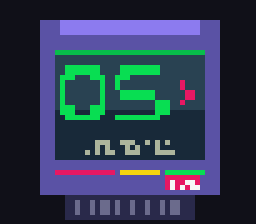
examples/transitions/mosaic: the pixel-block effect mid-transition.
This tutorial covers the SNES PPU's mosaic effect: a hardware pixel-block filter that progressively enlarges the pixels of selected BG layers. Used canonically for RPG battle transitions (Final Fantasy IV–VI), death sequences, damage flashes, scene transitions ("the screen pixelates, then resolves into the new room"), and any retro visual style that wants chunky pixels on demand.
It assumes you have read the Graphics tutorial. Mosaic is one of the simplest PPU effects on the SNES — under 100 lines of C typically suffices.
The PPU has a single hardware filter that says "render this BG layer at 1× pixel size, but display each pixel as an N × N block". Internally, it samples one pixel out of every N × N region and replicates it to fill the block — so finer detail collapses into chunky squares.
Configurable on two axes:
The configuration lives in a single register, MOSAIC ($2106):
| Bits | Purpose |
|---|---|
| 7–4 | Block size (0–15) |
| 3 | BG4 enable |
| 2 | BG3 enable |
| 1 | BG2 enable |
| 0 | BG1 enable |
Both axes change instantly — no DMA, no VBlank discipline. Write the register and the next frame uses the new value.
The two-line API: enable the layers you want, set the size. That's it.
The lib ships two helpers that block-and-animate, the canonical RPG-style transition:
The speed parameter is "frames to wait between steps". 1 = fast (~16 frames total), 2 = medium (~30 frames), 4 = dramatic (~60 frames). The functions block — they call WaitForVBlank() internally — so during the fade the main thread is idle. Schedule any heavy gameplay logic (level swap, palette change, DMA) at the midpoint when the screen is fully pixelated and the artefacts are masked.
If you need non-blocking animation (e.g., mosaic plus other moving elements), use the manual loop:
| Function | Purpose |
|---|---|
| mosaicInit() | Reset all mosaic state — disable, size 0. Call before configuring a new scene. |
| mosaicSetLayers(bgMask) | Enable mosaic on the layers in the bitmask (LAYER_BG1, …, MOSAIC_BG_ALL). |
| mosaicDisable() | Disable mosaic on all layers. |
| mosaicSetSize(size) | Set the block size, 0–15 (MOSAIC_MIN to MOSAIC_MAX). |
| mosaicGetSize() | Read the current block size. |
| mosaicFadeIn(speed) | Animate size 15 → 0, blocking, with speed frames per step. |
| mosaicFadeOut(speed) | Animate size 0 → 15, blocking. |
examples/transitions/mosaic cycles through four transitions on button press: brightness fade out, brightness fade in, mosaic fade out, mosaic fade in. The example pairs setBrightness() (the INIDISP-based global brightness scale) with mosaic so you can compare the two transition shapes side by side.
The takeaway: brightness goes through black; mosaic goes through chunky pixels. They have very different aesthetics and very different gameplay-readability tradeoffs:
Many RPGs use both: mosaic for "battle starts!" (continuity), brightness fade for "scene transition" (cut).
The MOSAIC register has no bit for OBJ — sprites always render at 1 × 1 pixel resolution. If you fade the BG layers but leave sprites visible, the sprites stay sharp on top of pixelated backgrounds. This is sometimes the desired effect ("the world dissolves but the character stays") and sometimes the wrong effect ("the player sprite looks weird floating on chunky blocks").
To hide sprites during a transition, either:
In Mode 7, the only BG is BG1. Setting LAYER_BG1 on a Mode 7 plane applies the pixel-block filter to the affine-transformed image — you get pixelated rotation/scaling. Visually distinctive, but the pattern is rarely used outside specific stylistic effects.
In Mode 5/6 (high-resolution modes), mosaic acts on the half-width pixel grid; the visual block size is half what you'd expect from a Mode 0/1 reading.
The register stores 0–15, but the actual block size is the value plus 1:
| Register value | Block size |
|---|---|
| 0 | 1 × 1 (no visible effect) |
| 1 | 2 × 2 |
| 7 | 8 × 8 |
| 15 | 16 × 16 |
Most code doesn't notice, but if you compute "this is the first visible mosaic step", remember to start at register value 1, not 0. The lib's MOSAIC_MIN = 0 reflects the register, not the visible threshold.
They call WaitForVBlank() internally per step. While they run, your main thread does nothing else. That's fine for screen transitions (the "fade until the level swap" pattern) but wrong for "mosaic on just the boss layer while the player keeps moving".
For non-blocking animation, write the manual loop yourself — see the "Animated transitions" section above.
consoleInit() does not call mosaicInit(). If a previous scene left mosaic enabled (and you didn't call mosaicDisable or mosaicInit), the new scene boots with stale mosaic configuration. The PPU defaults at hard reset are "all off" so the first-boot case is fine, but scene-to-scene cycles need explicit mosaicInit() calls.
Mosaic costs zero CPU during display — the PPU does the pixel-block sampling in hardware. The configuration writes are a single byte to $2106 per change (~10 cycles total).
The blocking fade helpers (mosaicFadeIn/mosaicFadeOut) cost the duration of the fade in real time (16 × speed frames), but that's a gameplay-pacing decision, not a CPU-budget one.
 1.16.1