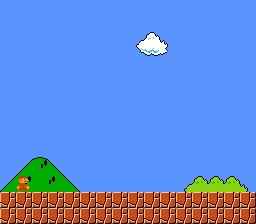
A semi-transparent darkened rectangle rendered over a background image using SNES color math and HDMA-driven window boundaries. No input – the effect is static.
Ported from PVSnesLib "TransparentWindow" example by Digifox.
Controls
No interactive controls. The darkened rectangle is displayed statically.
Build & Run
Then open transparent_window.sfc in your emulator (Mesen2 recommended).
How It Works
The Technique
This combines three SNES hardware features:
- HDMA changes the window boundaries per scanline to define a rectangle
- Window masking restricts color math to the rectangular region
- Color math subtracts a fixed color inside the window, darkening pixels
Window for Color Math (Not for BG Masking)
The key insight: windows can control where color math applies independently from where they mask background layers.
REG_WOBJSEL = 0x20enables Window 1 for the color math regionREG_TMW = 0– no background layers are masked by the window- The background is fully visible everywhere
- But inside the window rectangle, color math darkens the pixels
HDMA Rectangle
Two HDMA channels define the rectangle shape by driving WH0 ($2126) and WH1 ($2127):
The tables use repeat mode (bit 7 set in the line count byte) for the rectangle segment. Even though the values are constant across those scanlines, repeat mode ensures WH0/WH1 are re-written every line. This is required because WH0/WH1 are write-only PPU registers.
Color Math Configuration
| Register | Value | Effect |
|---|---|---|
| CGWSEL ($2130) | 0x10 | Apply math inside color window only, use fixed color |
| CGADSUB ($2131) | 0x82 | Subtract mode, BG2 participates |
| COLDATA ($2132) | 0xEC | Subtract intensity 12 from R+G+B (moderate darkening) |
SNES Concepts
Color Math Window vs BG Window
The SNES window system serves two independent purposes:
- BG/OBJ masking (controlled by W12SEL/$2123 and TMW/$212E): hides pixels inside or outside the window
- Color math region (controlled by WOBJSEL/$2125 and CGWSEL/$2130): restricts where add/subtract blending applies
This example uses only the color math window, leaving BG masking untouched. The background is fully visible everywhere, but the rectangular region gets darkened.
Practical Use
This technique is used in RPGs for dialog boxes (darken the area behind text), menu overlays, and spotlight effects. It costs zero CPU time – all hardware.
Project Structure
| File | Purpose |
|---|---|
main.c | HDMA tables, color math setup, window config |
data.asm | Background tiles, tilemap, and palette data |
res/background.png | Source background image |
Makefile | LIB_MODULES := console sprite dma background window colormath hdma math |
Going Further
- Animated rectangle: Move the rectangle by modifying the HDMA table values each frame. Change the
RECT_XandRECT_Yoffsets and rebuild the tables. - Rounded corners: Use per-scanline HDMA values that curve inward at the top and bottom of the rectangle, creating a rounded window.
- Explore related examples:
effects/window– Triangle-shaped HDMA window (BG masking, not color math)effects/transparency– Color math without windows (full-screen effects)
