What This Example Shows
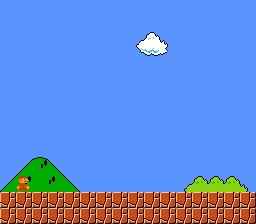
How to use the SNES Mode 7 – a special background mode that applies an affine transformation (rotation + scaling) to a single 128x128 tile layer. This is the same technique behind F-Zero's ground, Mario Kart's tracks, and Pilotwings' maps.
Prerequisites
Read backgrounds/mode1 first (basic background setup). Mode 7 is fundamentally different from tile-based modes but the initialization flow is similar.
Controls
| Button | Action |
|---|---|
| A | Rotate clockwise |
| B | Rotate counter-clockwise |
| D-PAD Up | Zoom out (see more of the plane) |
| D-PAD Down | Zoom in (magnify) |
Build & Run
Then open mode7.sfc in your emulator (Mesen2 recommended).
How It Works
1. Mode 7 VRAM format
Mode 7 uses a special interleaved VRAM format:
- Even bytes: tilemap entries (128x128 = 16,384 tiles)
- Odd bytes: pixel data (256 tiles, 8x8, 256 colors each)
This is completely different from Modes 0-3 where tilemap and tile data are in separate VRAM regions. The loading is handled by asm_loadMode7Data() in data.asm, which uses dmaCopyVramMode7() to write both the tilemap and tile data into the interleaved format the PPU expects.
2. Initialize the transformation
mode7Init() sets the rotation center to the screen center (128, 128). Scale 0x0200 = 2.0 in 8.8 fixed-point – this shows the map at a comfortable zoom level. Scale 0x0100 would be 1.0 (one texel per pixel).
3. Update the matrix every frame
mode7SetAngle() recalculates the 2x2 transformation matrix (registers M7A-M7D at $211B-$211E) using the current angle and scale. The angle is 0-255, mapping to 0-360 degrees.
4. Zoom control
After changing the scale, you must call mode7SetAngle() again because the matrix depends on both angle and scale. The scale range is clamped to 0x0010-0x0F00 – values outside this range produce extreme distortion.
SNES Concepts
Affine Transformation
Mode 7 applies a 2x2 matrix to BG1. The matrix encodes rotation, scaling, and skew. The hardware computes the transform per-scanline using four registers:
| Register | Address | Purpose |
|---|---|---|
| M7A | $211B | Matrix element A (cosine * scale) |
| M7B | $211C | Matrix element B (sine * scale) |
| M7C | $211D | Matrix element C (-sine * scale) |
| M7D | $211E | Matrix element D (cosine * scale) |
One Layer Only
Mode 7 supports exactly one background (BG1). No BG2/BG3/BG4. Sprites still work normally on top, which is how F-Zero renders its cars.
256-Color Palette
Each Mode 7 tile uses 256 colors (8bpp), unlike Modes 0-3 which use 2/4/8 colors per palette. This gives richer visuals but limits you to 256 unique tiles total.
8.8 Fixed-Point Scale
0x0100 = 1.0x (normal), 0x0200 = 2.0x (zoomed out, shows more area), 0x0080 = 0.5x (zoomed in, magnifies). The integer part is the high byte, the fractional part is the low byte.
Project Structure
| File | Purpose |
|---|---|
main.c | Input handling, rotation/zoom logic |
data.asm | Mode 7 tile/tilemap/palette loading helper |
res/mode7bg.png | Source image for Mode 7 ground |
Makefile | LIB_MODULES := console dma background sprite input mode7 |
Going Further
- Add scrolling: Use
mode7SetPos()to pan across the Mode 7 plane with the D-pad while rotating. This is how F-Zero navigates its tracks. - Add sprites on top: Load sprite tiles and place an OAM sprite over the rotating background. Mode 7 supports full sprite rendering.
- Explore related examples:
backgrounds/mode7_perspective– Per-scanline scaling for pseudo-3D (F-Zero style)effects/hdma_wave– HDMA can modify Mode 7 parameters per scanline
