 |
OpenSNES
Modern Open-Source SNES Development SDK
|
|
OpenSNES
Modern Open-Source SNES Development SDK
|
Displays a live frame counter that increments every VBlank (60 fps NTSC, 50 fps PAL). The simplest possible real-time display on the SNES: read a hardware counter, render it as text, repeat.
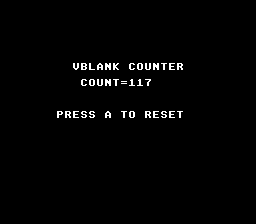
| Button | Action |
|---|---|
| A | Reset counter to 0 |
The SNES PPU triggers an NMI interrupt at the end of every visible frame (scanline 225). The NMI handler in crt0.asm increments frame_count — a 16-bit counter that wraps at 65535 (~18 minutes at 60 fps). This counter is the basis for all game timing: animation delays, physics steps, input polling, and audio updates all synchronize to it.
WaitForVBlank() blocks the main loop until the next NMI fires. This guarantees the game runs at a fixed frame rate. Without it, the main loop would spin freely and produce inconsistent timing.
| Module | Why it's here |
|---|---|
| console | consoleInit(), WaitForVBlank(), NMI handler with frame_count |
| sprite | OAM buffer (required by NMI handler) |
| dma | DMA transfers used internally by console init |
| background | BG layer configuration |
| text | textInit(), textPrintAt(), textFlush() for counter display |
| input | padPressed() for single-press reset button |
Also linked: gameloop — the gameLoopRun() frame loop.
Open timer.sfc in Mesen2 and watch the counter increment.
 1.16.1