 |
OpenSNES
Modern Open-Source SNES Development SDK
|
|
OpenSNES
Modern Open-Source SNES Development SDK
|
Generates and displays random 16-bit numbers on button press. Every game needs randomness — enemy spawns, item drops, damage variance, shuffle order. The SNES has no hardware RNG, so we use a software pseudo-random number generator (LFSR) seeded from the frame counter.
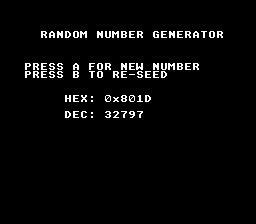
| Button | Action |
|---|---|
| A | Generate a new random number |
| B | Re-seed the PRNG from the frame counter |
rand() produces a deterministic sequence — the same seed always gives the same numbers. For a game, you want unpredictability. The trick: call srand(getFrameCount()) when the player presses START on the title screen. Since the player presses at an unpredictable frame, the seed varies each playthrough.
| Module | Why it's here |
|---|---|
| console | consoleInit(), WaitForVBlank(), NMI handler setup |
| sprite | OAM buffer (required by NMI handler) |
| dma | DMA transfers used internally by console init |
| background | BG layer configuration |
| text | textInit(), textPrintAt(), textFlush() for number display |
| input | padPressed() for single-press button detection |
Open random.sfc in Mesen2. Press A repeatedly, then press B and press A again — the sequence changes.
 1.16.1