 |
OpenSNES
Modern Open-Source SNES Development SDK
|
|
OpenSNES
Modern Open-Source SNES Development SDK
|
Reads the SNES controller and displays which button is currently held. The simplest possible input example — press a button, see its name on screen.
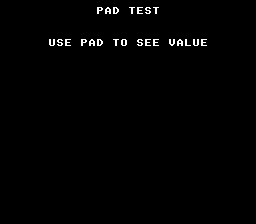
| Button | Display |
|---|---|
| A | "A PRESSED" |
| B | "B PRESSED" |
| X / Y | "X PRESSED" / "Y PRESSED" |
| L / R | "L PRESSED" / "R PRESSED" |
| D-pad | "UP/DOWN/LEFT/RIGHT PRESSED" |
| START / SELECT | "START/SELECT PRESSED" |
| None | (blank) |
The SNES joypad is a shift register — the hardware clocks out 16 bits of button state every frame during the auto-joypad read period (after VBlank). The NMI handler in crt0.asm captures this automatically into pad_keys[]. Your code never touches hardware registers directly.
Use padHeld for continuous actions (movement, charging). Use padPressed for one-shot actions (jump, menu select, pause toggle).
Multiple buttons can be held simultaneously. Test with bitwise AND:
| Module | Why it's here |
|---|---|
| console | consoleInit(), WaitForVBlank(), NMI handler setup |
| sprite | OAM buffer (required by NMI handler even with no visible sprites) |
| dma | DMA transfers used internally by console init |
| background | BG layer configuration |
| text | textInit(), textPrintAt(), textFlush() for button name display |
| input | padHeld(), padPressed() for reading controller state |
Also linked: gameloop — the gameLoopRun() frame loop.
Open controller.sfc in Mesen2 and press buttons.
 1.16.1